Enter password to view case study
Project: CL Admin Homepage Redesign
Surfacing important, user-catered information with flexibility and scannability. Homepages should be more than navigation.
Client Experience
Dashboard Design
UX Research & Ideation
Experimental
Designs Shown: Kale Atterberry (Me) | Comparisons: Paycom Design and UXR Department
Designs Shown: Kale Atterberry (Me)
Comparisons: Paycom Design and UXR Department
Project Context
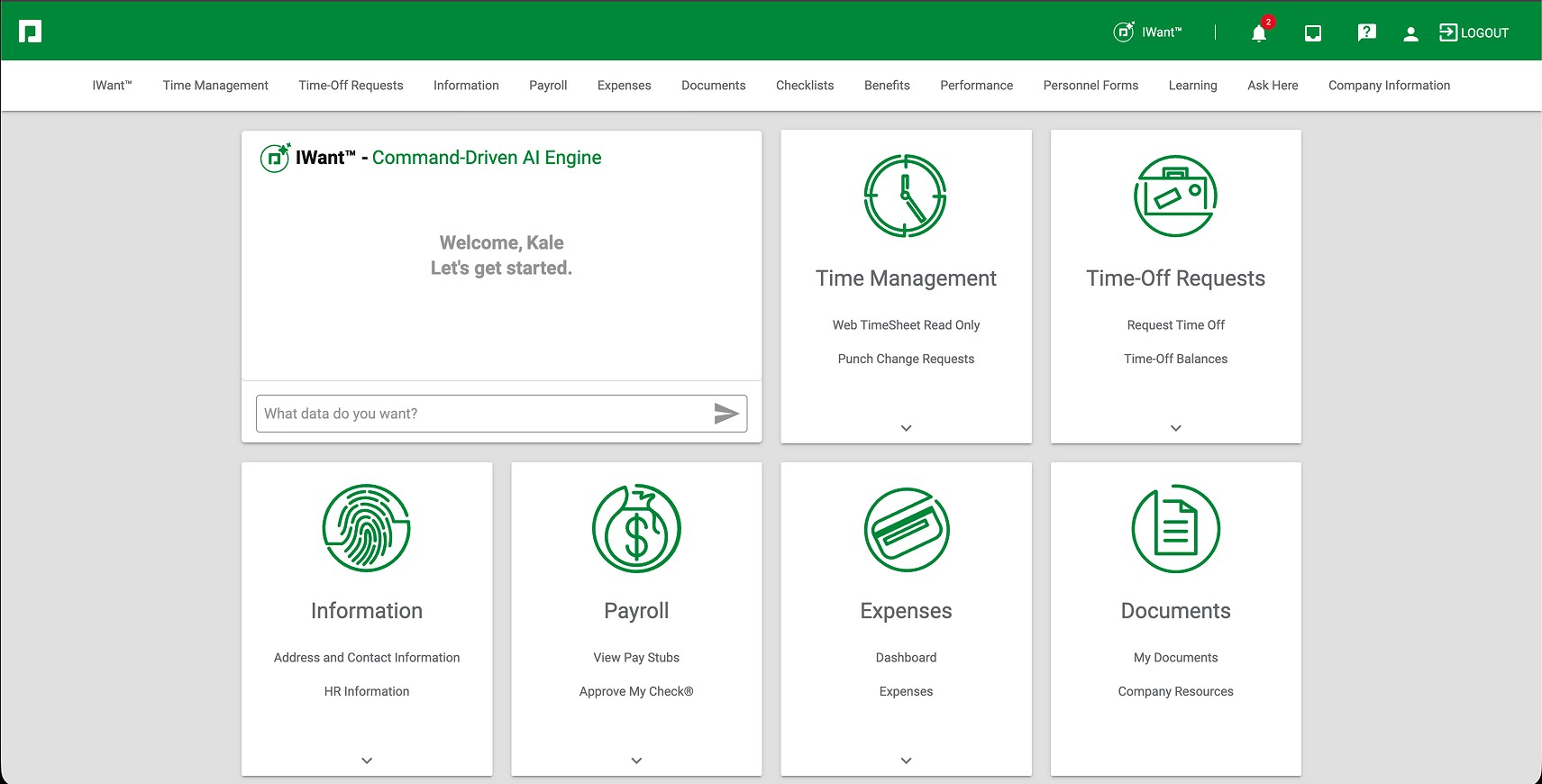
The current Paycom CL experience was incredibly dated, serving little more than a navigation tool and giving no further detail as to profile tasks/information.
Users need a tool to quickly understand how to complete a task, surface data points, and where to find specific information from anywhere in the system.
Current Paycom CL Homepage

Initial Core Redesign
The core redesign team worked on initial design concepts for the landing page. Executive leaders were focused on the branding of the UI and wanting to create an approachable experience. The core team achieved these objectives, but further testing and feedback revealed that the design system felt too busy, bland, too much green, no scannability, and a huge lack of heirarchy of information.

Project Scope
Research
Research
3 Weeks
Ideation/Lofi
Ideation/Lofi
1 Week
Prototype/Hifi
Prototype/Hifi
2 Weeks
Testing / QA
Testing / QA
4 Weeks
Delivery Build / Design Specs
Delivery Build
Delivery Build / Design Specs
2 Weeks
Total Project Span | 12 Weeks (3 Months) 2025-26
Total Project Span:
21 Weeks in 2023
Total Project Span | 21 Weeks in 2023
Company | Paycom
Company:
Paycom
Problem Statement
With the Redesign project, Paycom has the opportunity to create an actionable, customizable homepage dashboard experience focused on quick information and action.
Users need a tool to quickly understand how to complete a task, surface data points, and where to find specific information from anywhere in the system.
Research Insights
Not Actionable
100% of tested users found the current CL landing page to be not helpful or actionable. The only positive that was recorded was for brand new users, helping them see where subsections lived within our system. Though typically for about a week or so.
Not Actionable
100% of tested users found the current CL landing page to be not helpful or actionable. The only positive that was recorded was for brand new users, helping them see where subsections lived within our system. Though typically for about a week or so.
Complexity
100% of tested users found the current CL landing page to be not helpful or actionable. The only positive that was recorded was for brand new users, helping them see where subsections lived within our system. Though typically for about a week or so.
Surfacing Important Info
The most common feedback was the lack of information and quick actions to urgent tasks. Users need a way to see what items are upcoming and a way to quickly tackle them.
Surfacing Important Info
The most common feedback was the lack of information and quick actions to urgent tasks. Users need a way to see what items are upcoming and a way to quickly tackle them.
Surfacing Info
The most common feedback was the lack of information and quick actions to urgent tasks. Users need a way to see what items are upcoming and a way to quickly tackle them.
No Clear Heirarchy
78% of users find the current redesign to be lacking clear heirarchy or scannability. Everything blends together, and the color pallete is way too monogamous, furthering this feeling.
No Clear Heirarchy
78% of users find the current redesign to be lacking clear heirarchy or scannability. Everything blends together, and the color pallete is way too monogamous, furthering this feeling.
No Clear Heirarchy
78% of users find the current redesign to be lacking clear heirarchy or scannability. Everything blends together, and the color pallete is way too monogamous, furthering this feeling.
Lack of Identity
7 out of 10 users found the redesign to actually hinder the Paycom brand identity, citing a move in the wrong direction for the core values of accessible, modern, and easy to understand.
Lack of Identity
7 out of 10 users found the redesign to actually hinder the Paycom brand identity, citing a move in the wrong direction for the core values of accessible, modern, and easy to understand.
Initial Delivered Solution
There was many iterations and feedback sessions that took place across this project's lifespan. While working through these iterations, I developed reasoning for my proposed solution.
Users need a tool to quickly understand how to complete a task, surface data points, and where to find specific information from anywhere in the system.
Main Objective:
Brands live and die by recognition, not by the brand color or the logo, but by how it is presented and the service they provide. they stay true to the north stars of purpose-driven clarity, easy to approach flows, quick to recognize elements without context, and a consistent experience every time. Our goal in User Interface should be to give a path/support the UX and the brand, not to be the “brand” itself.
Unified Recognition:
Too often do brands, and their designers, fall victim to trying too hard to “unify” everything. You can create unity and a strong foundation without everything feeling the same. Color usage and weight is more than aesthetic, it is a vehicle that helps users understand the purpose of an element and where it stands next to other elements. The best way to create a consistent and unified UI is to give meaning to every color, style and influence used.
Who We Are:
For Paycom, actions are king, and it’s what has put us on the map against titans of Business like ADP, Monday and Salesforce. There is a reason we have been in the running before, and it was never because of how aesthetically pleasing our interface was. UI should be centered around actions, and what our product can do for the user with as little fluff as possible. That’s not to say that there isn’t value in adding visuals that are pleasing or eye-catching, but these should NEVER get in the way of the purpose of our product.
A Way Forward:
While the UI should be clean and simple, the way the user interacts with it is where true respect and value is earned with users. Micro-animations and subtle flourishes can make a lasting impact. While some of these are not shown here, it’s worth noting that here is where we can wow users. The general UI of buttons, type and colors are the foundation of which the true feeling and brand identity can grow from.
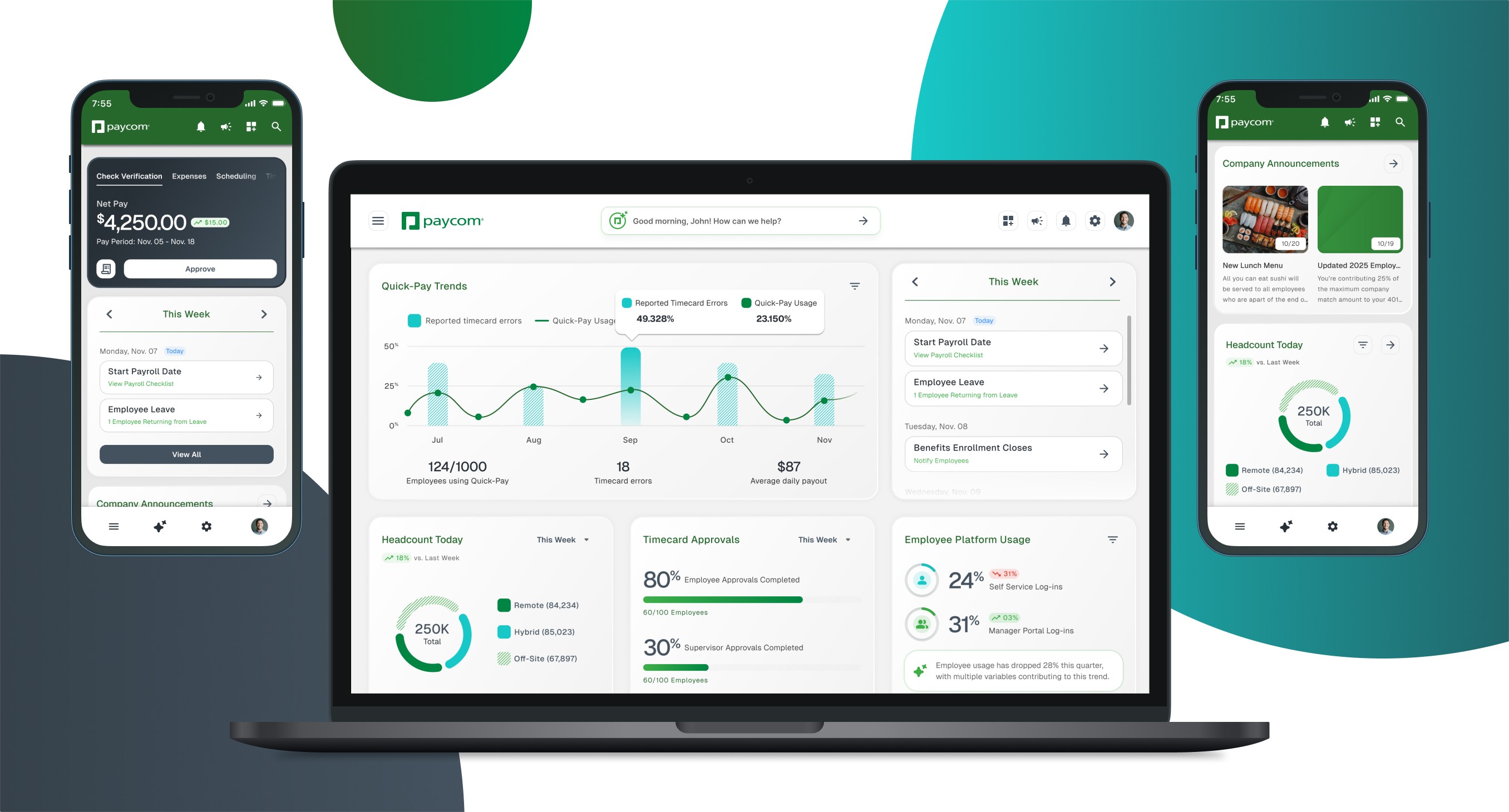
Proposed Design


Testing Feedback
Blind testing over 200 external users, my desktop designs scored the third highest out of 28 designs, and first in mobile design.
Users need a tool to quickly understand how to complete a task, surface data points, and where to find specific information from anywhere in the system.
Desktop and Mobile Pros:


Desktop and Mobile Cons:


Ranking and End Result of Testing: 1st in Mobile | 3rd in Desktop


Dream State
After this project, I took the feedback and have built the below dream state to address the general consensus of "boring color palette, dark action color being too strong, and not visually distinguished".
Users need a tool to quickly understand how to complete a task, surface data points, and where to find specific information from anywhere in the system.